

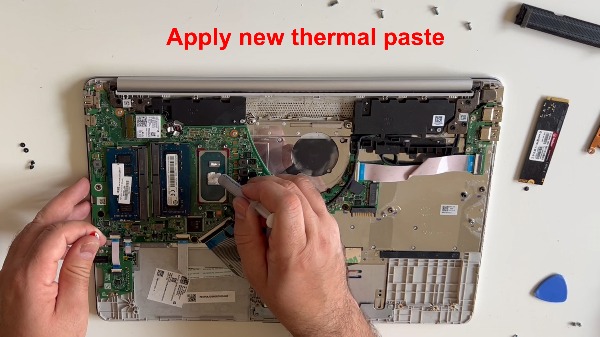
To open an HP Notebook 15s (fqxxx series) and replace the thermal paste, remove the rubber feet to find hidden screws, remove all base screws, and carefully pry open the casing. Disconnect the battery, remove the fan and heatsink assembly, clean the old paste with isopropyl alcohol, and apply new high-quality thermal paste.
This video shows how to open and clean the HP 15s-fq series:
More details on the website: https://www.pcmasterx.com/index.php/blog/hp-notebook-15s-fqxxx-open-change-thermal-paste-replacement-battery-upgrade-ssd-ddr4-memory-wireless-card
